Quick Answer
Self-care reminders on iPhone work best when they're impossible to dismiss without noticing. A notification you swipe away in half a second does nothing; a cue you passively see every time you glance at your phone actually lands. The fix isn't more reminders — it's putting one or two well-chosen cues somewhere you can't reflexively ignore, like your lock screen.
Why Self-Care Reminders on iPhone Stop Working
Most people set up self-care reminders on iPhone the obvious way — a Reminders alert at 3pm that says 'take a break' — and then watch themselves swipe it away mid-meeting without a second thought. The problem isn't discipline. It's that a notification is a dismissible event: it appears, you clear it, it's gone, and the intention goes with it. Good intentions are famously fragile. We plan to drink water, step outside, breathe, log off on time — and then the day swallows the plan whole, because nothing in our environment keeps the intention in front of us.
A landmark review by psychologist Paschal Sheeran found that our intentions explain only about 28% of whether we actually follow through. The other ~72% comes down to cues and environment — which is exactly what a good reminder is supposed to provide.
That gap is the whole game. Wanting to take better care of yourself is the easy 28%. The hard part — the part a reminder is meant to solve — is being prompted at the right moment, in a way you can't reflexively dismiss. A self-care reminder only helps if it survives contact with a busy day. And the surest way to make a cue survive is to make it passive: something you see without opening anything, and can't clear with a thumb-flick.

What Good Self-Care Reminders Actually Look Like
- •
Hydration — 'Drink water' is easy to ignore; 'Glass of water before your next coffee' is a specific trigger you can act on in ten seconds.
- •
Movement breaks — a cue to stand, stretch, or walk for two minutes every couple of hours protects both your back and your focus.
- •
A breathing reset — one line like 'Three slow breaths' is enough to interrupt a stress spiral the moment you see it mid-scroll.
- •
A boundary cue — 'Log off at 6' or 'No email after dinner' keeps the line you drew for yourself visible exactly when it's easiest to cross.
- •
One kind thing — a rotating prompt ('text someone you love,' 'step outside,' 'eat something real') keeps self-care from hardening into another rigid checklist.
The best self-care reminder isn't the most detailed one. It's the one you can't help but see — specific enough to act on, and placed where dismissing it isn't an option.

Why Notifications Are the Wrong Tool
Here's the uncomfortable truth about notification-based self-care reminders: they're competing with every other alert on your phone, and losing. The average person is buried in notifications, so the brain learns to clear them on autopilot — including the ones meant to help. By the time 'take a break' buzzes, it's just one more badge to dismiss. Worse, a reminder that fires at a fixed time often arrives at the worst possible moment, so you snooze it — and snoozed self-care is self-care that never happens. The tool ends up fighting itself.
This is why moving the cue off the notification layer changes everything. NoteWall puts your self-care reminder on your lock screen wallpaper, so it's just there — passively, every time you pick up your phone — instead of buzzing once and vanishing. There's nothing to swipe and nothing to snooze. The reminder stops being an interruption you dismiss and becomes a gentle, standing cue you can't help but notice (here's how lock-screen reminders work without notifications).
How to Set Up Self-Care Reminders That Stick
Keep it simple, or it won't last. Start with just one or two cues — the self-care you actually keep skipping, not a wishlist of ten. Make each one specific and act-in-the-moment ('three breaths,' not 'reduce stress'). Then put them where you'll passively see them rather than where they'll buzz: a lock-screen note with NoteWall, refreshed every week or two so they don't fade into wallpaper you stop registering. If motivation is more your angle, the same approach works for affirmations and motivation quotes.
Frequently Asked Questions
How do I set up self-care reminders on iPhone?
Start with one or two specific cues — like 'three slow breaths' or 'glass of water' — rather than a long list. Put them somewhere you'll passively see them, such as your lock screen, instead of relying only on notifications that are easy to swipe away.
Why do I keep ignoring my self-care reminders?
Usually because they arrive as dismissible notifications. Research on the intention-action gap shows good intentions need an environmental cue to turn into action. A reminder you clear on autopilot isn't providing that cue; a passively visible one is.
What are good self-care reminders to use?
Effective ones are specific and quick to act on: drink water, stand and stretch, three slow breaths, log off at a set time, or one small kind act. Vague prompts like 'relax' rarely lead to action because there's nothing concrete to do.
Are lock-screen reminders better than notifications for self-care?
For self-care, often yes. Notifications buzz once and get dismissed, while a lock-screen cue stays passively visible every time you check your phone — so you're far more likely to actually notice and act on it.
Keep Reading: Positive Affirmations on Your iPhone Lock Screen · Lock Screen Motivation Quotes for iPhone · Show Reminders Without Notifications · ADHD Focus Tips — Pillar Guide
Photos by Mindaugas Norvilas, Townsend Walton, and Vitaly Gariev on Unsplash.
Self-Care You Won't Swipe Away
Notifications get dismissed in half a second. NoteWall keeps your self-care cue on your lock screen, where you'll see it all day without buzzing or snoozing. Free to start.
Try NoteWall Free
Founder of NoteWall. Building tools that turn your lock screen into a productivity system. About →
You might also like
Mental Health Reminders on Phone: What Actually Helps in 2026
Mental health reminders on phone can be a quiet lifeline — or one more notification you swipe away. Here's what actually helps, and how to set it up without burning out.
Gratitude Journal on iPhone Lock Screen: A One-Sentence Habit
A gratitude journal on your iPhone lock screen makes the habit small enough to actually keep. Here's how to set it up so it lasts past week three.
How to Show Reminders on iPhone Lock Screen (Without Notifications)
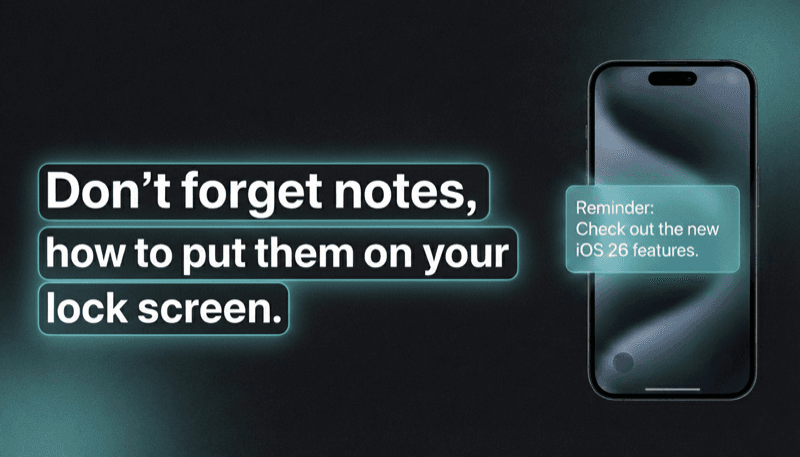
Want to see your tasks right on your lock screen? Learn how to display reminders on your iPhone lock screen without relying on notification banners.