Quick Answer
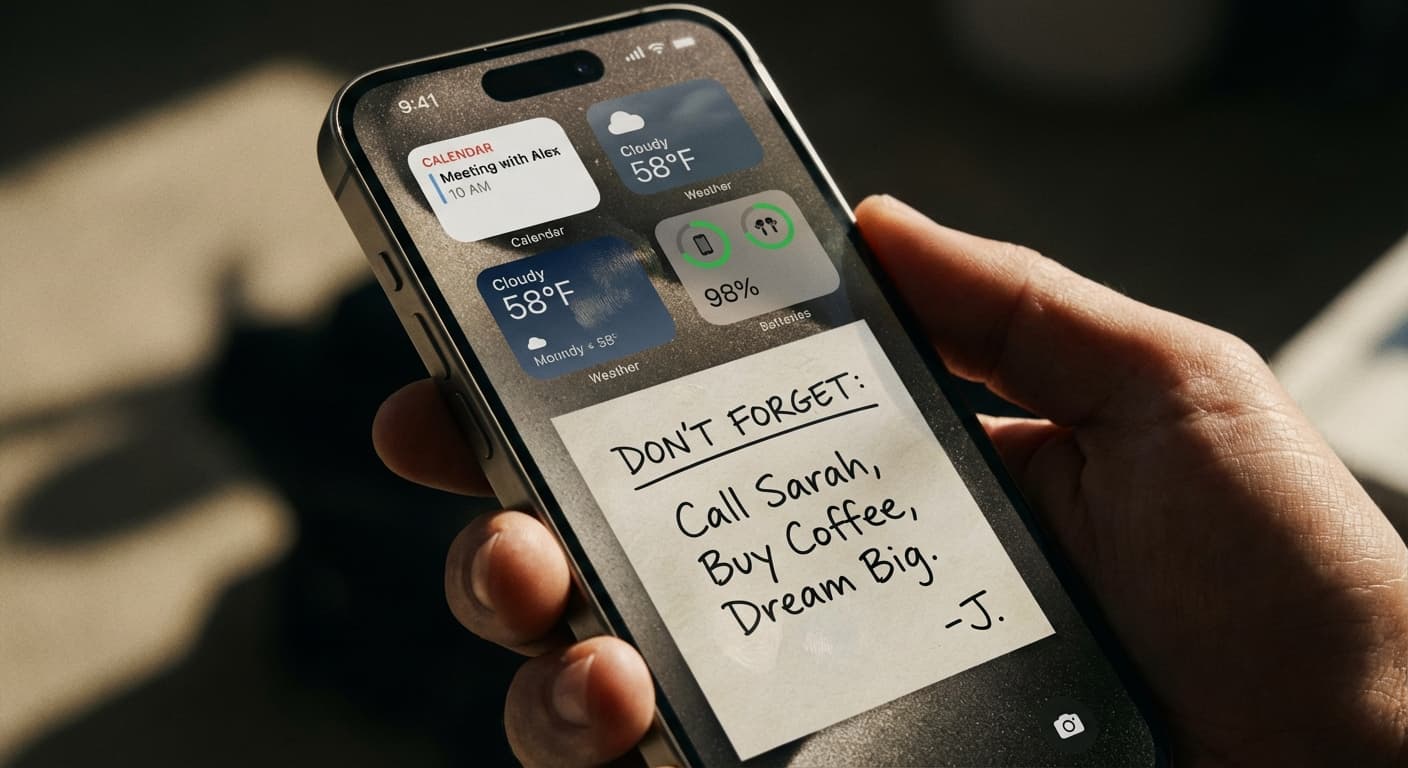
NoteWall is the best lock screen notes app for iPhone if you want notes and reminders written into the wallpaper, where they show every time the screen wakes. It is not free: a subscription is required, and the App Store shows the terms before you pay. For a free option, LockScreenNotes lists no price and no in-app purchases.
Disclosure: NoteWall is our app, and this ranking reflects that. The honest case for it is narrow: it suits people whose problem is a note they never look at. If you need a tappable checklist, a calendar or a free app, others below fit better, and this guide says which.
If you just want today's priorities on the screen you see when you pick up the phone, NoteWall does that, and it also holds reminders, habits and streaks. Its setup runs through an Apple Shortcut, a step many people find fiddly. Every app here is described from its live US App Store listing, read on November 2, 2026.
What Is the Best Lock Screen Notes App for iPhone?
There is no single winner, because apps put a note on the lock screen in three different ways: written into the wallpaper image, as a Lock Screen widget, or as a Live Activity. Pick the way first, then the app. A wallpaper has the most room, a widget sits in a small slot, and a Live Activity updates live but runs on a time limit that Apple sets.
The seven apps below are ranked for one job: keeping your own note in front of you. Widget-style sticky notes beyond the lock screen are covered in the best sticky notes app for iPhone guide, and the iPhone app comparisons guide lists our other head-to-heads.
- •
1. NoteWall, best when the problem is not seeing your note. Listed as Lock Screen Notes: NoteWall by Karol Billik; 4.4 stars from 109 ratings; updated October 6, 2026. The listing says notes, reminders, goals, habits or quotes appear on your lock screen, then "No widgets. No notifications." The note is an image, so it cannot be tapped. The catches are the subscription and the Shortcut setup; how the method works is covered separately.
- •
2. LockScreenNotes, best free pick. Takumi Banjoya; 4.8 stars from about 1,700 ratings; updated October 29, 2026. The listing says you can check off to-dos on the lock screen, write by hand and use 100+ designs it calls completely free, with no account. No in-app purchases are listed.
- •
3. Sticky Notes Widget, best for widgets on older iOS. TAPUNIVERSE LLC; 4.7 stars from about 6,600 ratings; last updated March 14, 2026, about eight months before this check. The listing says a note can be set as your lock screen or a widget. Its Sticky Notes+ subscription unlocks all features.
- •
4. LiveNote, best for a Live Activity note. LVNT; 5.0 stars from 45 ratings; updated August 28, 2026. The listing says it is "powered by Live Activities", with notes and to-dos on the Lock Screen and Dynamic Island. Its release notes say core features remain free.
- •
5. LockToDo, best for a daily to-do list. Seller listed as 晓峰 左; 4.3 stars from 18 ratings; updated October 29, 2026. The listing describes today's list on the Lock Screen, Dynamic Island, Live Activities and Home Screen widgets, with voice input and recurring tasks.
- •
6. Ink, best for a calendar-first lock screen. SilverAI Joint Stock Company; 4.3 stars from 224 ratings; updated October 30, 2026. The listing describes calendar wallpapers that overlay your schedule, tasks and reminders. It is closer to a planner than a notes app.
- •
7. DailyWall, best for a decorative wall of notes. Serkan Kaplan; 4.7 stars from only 6 ratings, so read that lightly; updated October 30, 2026. The listing says each day's wall becomes your wallpaper when you leave the app.
| App | How the note shows | Cost model (per its listing) | Minimum iOS |
|---|---|---|---|
| NoteWall | Written into the wallpaper | Subscription required | 17.0 |
| LockScreenNotes | Note on the Lock Screen (mechanism not stated) | Free, no in-app purchases listed | 18.0 |
| Sticky Notes Widget | Home Screen and Lock Screen widgets | Free to download; Sticky Notes+ subscription | 15.0 |
| LiveNote | Live Activity and Dynamic Island | Free to download; Pro plans | 17.6 |
| LockToDo | Lock Screen, Live Activities, widgets | Free to download; Premium plans | 16.1 |
| Ink | Calendar and tasks overlaid on the wallpaper | Free to download; in-app purchases | 17.0 |
| DailyWall | A wall of notes becomes the wallpaper | Free tier; Pro plan | 17.0 |
The second column splits the field. Per their listings, Sticky Notes Widget, LiveNote and LockToDo work through widgets or Live Activities, Ink and DailyWall build a wallpaper, and LockScreenNotes does not say which way it works. NoteWall belongs with the wallpaper group: the note is part of the image itself, so there is no widget slot to fill and no Live Activity timer, and the cost is the Shortcut step plus a subscription. If setup is where you get stuck, the Shortcut troubleshooting guide covers the usual causes.
What Is the Best App for Reminders on a Lock Screen?
It depends on whether you need to tick items off or just keep seeing them. For a few dated reminders, Apple's own Reminders widget is built in. For tick-off from the lock screen, LockScreenNotes describes it in its listing. For reminders that stay in view all day without tapping, NoteWall writes them into the wallpaper.
The steps are in the guide to reminders on the iPhone lock screen. Apple's Reminders widget is added from the Lock Screen's Customize screen and needs iOS 16 or later, per Apple Support. Ink's listing says it syncs with your reminders and tasks. A wallpaper note is an image, so it cannot be ticked off.
Live Activities vs Wallpaper Notes: What Is the Difference?
A Live Activity is a live card that an app updates on the Lock Screen, and Apple limits how long it runs. A wallpaper note is an image the Lock Screen shows until you change it. Live Activities can update while they run; wallpaper notes need no timer and no widget slot. Apple's developer documentation sets out the limit.
A Live Activity can run for up to eight hours unless the app or the person ends it sooner. The system can then leave it on the Lock Screen for up to four more hours, which makes "a maximum of 12 hours" in all. Source: Apple Developer Documentation, Displaying live data with Live Activities, read November 2, 2026.
That is a platform rule, not a verdict on any one app, and most listings do not say how the app copes with it. PinNote, a recent listing with no ratings yet, does: it says Lock Screen Live Activities are cleared after up to 8 hours, and that opening the app at least that often refreshes your notes.
"Under the hood it is a Shortcut, because that's the only path Apple gives third-party apps to swap your wallpaper." — Karol Billik, NoteWall's developer, replying to an App Store review in May 2026
That sentence explains the trade. A wallpaper app avoids the Live Activity clock and the widget slot, but needs a Shortcut, which many users find the hardest part of setup. In short: a wallpaper suits a note that should simply be there; a Live Activity suits one that should change by itself.
Why Is the Lock Screen Worth the Trouble?
Because nearly everyone with a phone sees it. Pew Research Center reports that about nine-in-ten U.S. adults own a smartphone, so the lock screen is a surface almost everyone shares.
Source: Pew Research Center, Americans' Use of Mobile Devices in 2026 (Mobile Fact Sheet), survey fielded January 30 to June 18, 2026. Page read November 2, 2026.
Is There a Free Lock Screen Notes App for iPhone?
Yes, but NoteWall is not one of them. LockScreenNotes is the clearest free pick: its US listing shows a Free price and no in-app purchases. Sticky Notes Widget, LiveNote, LockToDo, Ink and DailyWall are free to download but list paid plans. NoteWall requires a subscription, and the App Store shows the terms before you pay.
If you already open your notes app and read what is in it, a free app does the job. A paid lock-screen app earns its place when the failure is visibility: the list you wrote and never looked at again.
Who Should Pick Which? NoteWall Alternatives by Need
If NoteWall is not the right fit, the best alternative depends on what you are replacing: LockScreenNotes for a free note with tick-off, Sticky Notes Widget for widgets, LiveNote or LockToDo for Live Activities, Ink for a calendar.
- •
Pick NoteWall if notes, reminders and habits should be visible on every wake and you accept a subscription and a Shortcut setup.
- •
Pick LockScreenNotes if you want a free app with tick-off and have iOS 18.0 or later.
- •
Pick Sticky Notes Widget if you want widgets on an older iPhone. Its listing's minimum is iOS 15.0, and Lock Screen widgets need iOS 16 or later.
- •
Pick LiveNote or LockToDo if you want a live list and are comfortable with Apple's time limit above.
- •
Pick Ink if the lock screen should be a calendar first.
- •
Pick DailyWall if you want a decorative wall and accept a listing with only 6 ratings.
Our call, with the disclosure above in mind: if your notes fail because you stop looking at them, start with NoteWall, which is built for that one problem. If you need tick-off or a free app, LockScreenNotes is the better choice on iOS 18.0 or later.
Which Apps Did We Leave Out?
Stale or too-new apps stayed out. 3minders has 8 ratings and was last updated about ten months before this check. Reminder Wallpaper Editor has not been updated in about five years. PinNote, Pinote, LockTodoNote and Wallnote are live but have no ratings yet. Notifyman, a persistent-reminder app, was last updated about fourteen months before this check.
Frequently Asked Questions
What is the best lock screen notes app iPhone owners can get?
It depends on the job. NoteWall writes notes into the wallpaper, LockScreenNotes is the free pick with tick-off, Sticky Notes Widget covers widgets, and LiveNote or LockToDo run as Live Activities. The table above compares all seven from their US listings.
Is there a free lock screen notes app?
Yes. LockScreenNotes lists a Free price and no in-app purchases on its US App Store page. NoteWall is not free: a subscription is required to use it, and the App Store shows the plans and terms before you pay.
Do Live Activity notes disappear after a few hours?
Apple documents that a Live Activity can be active for up to eight hours and stays on the Lock Screen for at most 12 hours in total. How each app deals with that limit is up to the app, so check its listing first.
Can I tick off tasks from the lock screen?
Only with apps that say so. LockScreenNotes' listing says you can check off to-dos there. A wallpaper note, including NoteWall's, is an image and cannot be tapped; you edit the list in the app and refresh the wallpaper.
Keep Reading: Best Sticky Notes App for iPhone (2026): 5 That Actually Get Seen · How to Put Notes on Your iPhone Lock Screen (2 Ways) · iPhone App Comparisons
Keep the Note Where Your Eyes Already Land
A note inside an app has to be found, and a widget slot has to be filled. NoteWall writes your notes, reminders and habits into the wallpaper you see on every wake. Setup uses an Apple Shortcut that many people find fiddly. A subscription is required; the App Store shows the terms before you pay.
Download NoteWall
Founder of NoteWall. Building tools that turn your lock screen into a productivity system. About →
You might also like
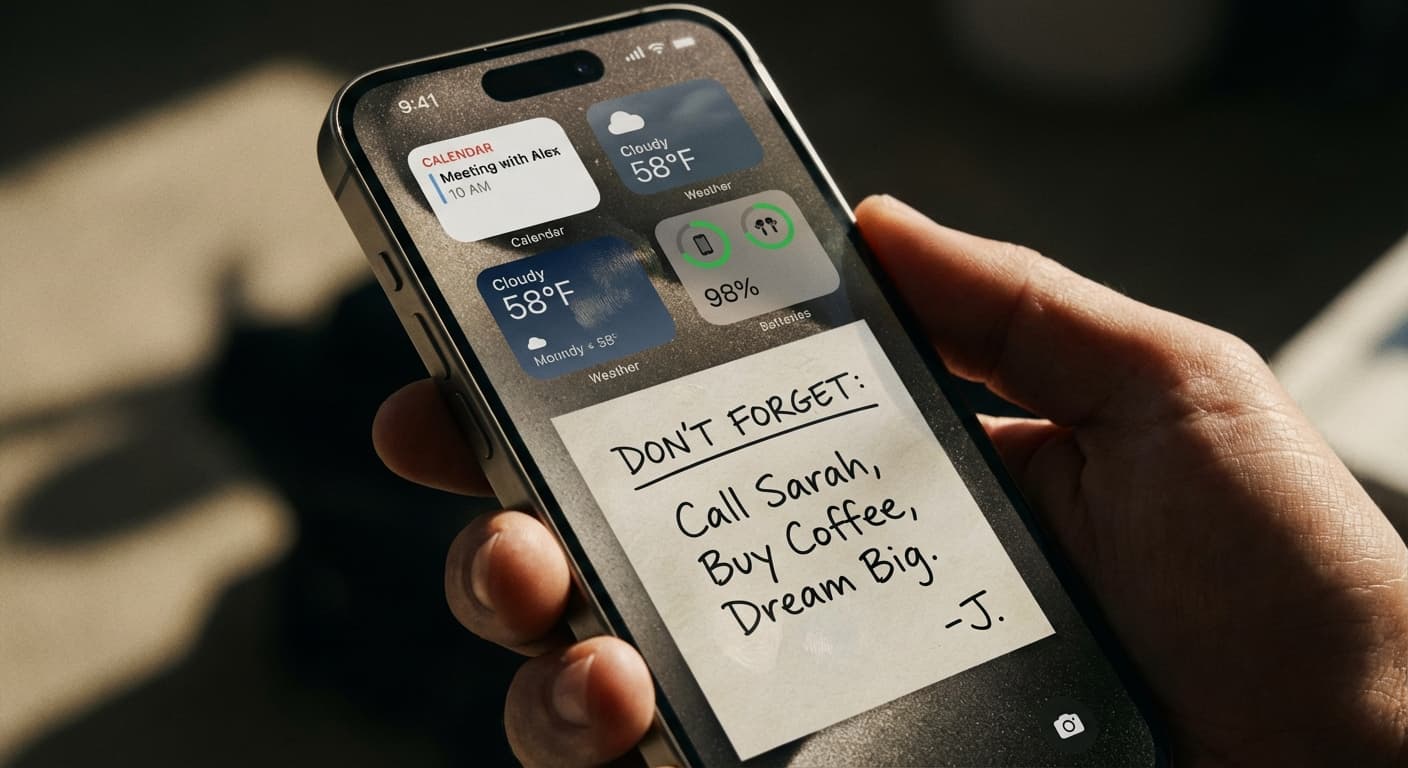
Lock Screen Widgets vs. Wallpaper Notes: Which iPhone Approach Wins?
Lock Screen widgets vs. wallpaper notes on iPhone: what Apple's widgets are built for, what a note in the wallpaper does better, and when to use each.

Apple Notes vs NoteWall: Capture or Lock Screen Reminders?
Apple Notes vs NoteWall for reminders: Notes is the better place to capture and organize, NoteWall keeps a few must-see items on your iPhone lock screen.

Transform Your iPhone Lock Screen with Visual Reminders
Ditch the generic wallpaper and boost productivity! Learn how to use visual reminders on your iPhone lock screen to stay focused. Download NoteWall today!