Quick Answer
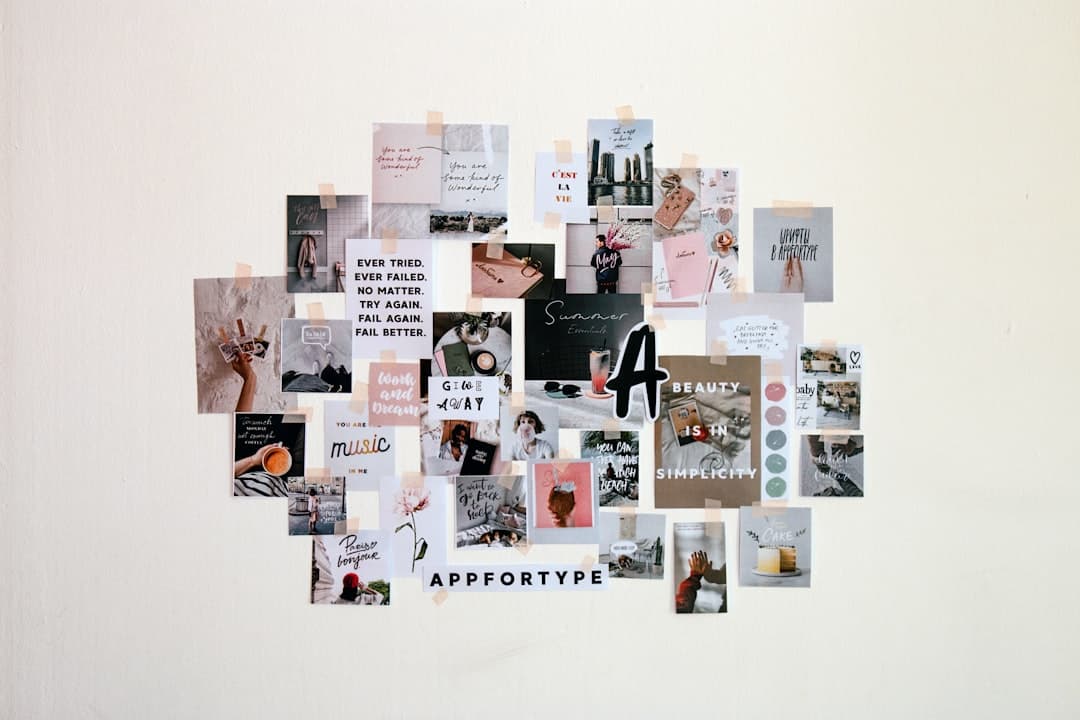
The best vision board app for iPhone in 2026 depends on what you want: Canva for design freedom, Pinterest for gathering inspiration, Notion for pairing a board with real goal tracking, a dedicated app like Dreamboard for guided manifestation, or Apple Photos for a zero-download option. Whichever you pick, set the finished board as your wallpaper so you actually see it.
A vision board only works if you look at it. That's the whole trick — and it's also where most apps quietly fail. They make it easy to build a beautiful board, then bury it three taps deep where you'll forget it exists by February. So this guide to the best vision board app for iPhone in 2026 judges each pick on two things: how good the board looks, and how likely you are to keep seeing it. A gorgeous board you never open is just a screenshot.
A study by Dr. Gail Matthews at Dominican University of California found people who wrote down their goals were about 42% more likely to achieve them. A vision board is that principle made visual — but only if it stays in front of you.
What makes a good vision board app
- •
Easy to assemble. Drag-and-drop images, text, and templates without a design degree.
- •
Exportable as a wallpaper. The board should leave the app and land on your lock or home screen.
- •
Free, or fairly priced. You shouldn't pay a subscription just to look at your own goals.
- •
Visible by default. The single most important factor — and the one almost every app ignores.

The 5 best vision board apps for iPhone in 2026
Canva — best for design freedom. Free (with a Pro tier), Canva has thousands of templates, fonts, and stock images, and you can export your finished board at the exact iPhone wallpaper size. It's the most flexible pick by a mile. Downside: the blank-canvas freedom can become a time sink, and the best assets sit behind Pro.
Pinterest — best for gathering inspiration. The original digital vision board. Free, endless imagery, and boards you can theme by goal. It's unbeatable for collecting ideas — but it's also a scroll-hole, and a Pinterest board isn't something you passively see during your day unless you screenshot it.
Notion — best for board + tracking combo. Free for personal use. A Notion gallery board pairs vision imagery with checkboxes, deadlines, and progress notes, so your dream and your plan live together. It's the most 'productive' option, but it leans utilitarian and lives behind an app icon like the rest.
Dreamboard / dedicated vision board apps — best for guided manifestation. Purpose-built apps walk you through categories (health, career, relationships) and often add affirmations or reminders. Great if you want structure and a little ceremony. Most run on a subscription, and quality varies a lot app to app — read recent reviews before paying.
Apple Photos + Notes — best zero-download option. Already on your phone and completely free. Drop your inspiration images into a shared album, or build a simple collage in a Note. No new account, no learning curve. It's the least polished route, but it's the one most likely to still exist on your phone next year.
💡 Tip
Visual, lifestyle goals (travel, a dream home) shine in Canva or Pinterest. Concrete, measurable goals (save $5k, run a 10k) do better in Notion where you can track the number. Don't force one app to do both.
The flaw every vision board app shares
Run down that list and you'll notice the same crack in all five: the board lives inside an app you have to choose to open. Vision boards work through repeated exposure — the brain treats a goal you see daily as more real and more reachable. An app you open once in January can't do that. By spring it's a folder you never tap.
A vision board's power isn't in making it. It's in seeing it — ideally dozens of times a day, without trying.
This is the second-order trap of picking the best vision board app for iPhone 2026 and stopping there: you now own a beautiful board and a brand-new habit you have to maintain — remembering to open the app to look at the thing that was supposed to motivate you automatically. That's backwards. The fix is to take whatever board you build and put it where your eyes already go: your lock screen. NoteWall is built for exactly this — it turns your goals, affirmations, or a mini vision board into your iPhone wallpaper, so you pass them every time you check the time, with nothing to open and nothing to remember.
⚠️ Build it anywhere, but display it where you look
Use Canva, Pinterest, or Notion to design and refine your board — that's what they're good at. Then export the key version to your lock screen so it actually does its job. The design tool and the display surface don't have to be the same app.
So which should you choose?
- •
Want it to look amazing? Canva.
- •
Just collecting inspiration? Pinterest.
- •
Want to track progress, not just dream? Notion.
- •
Want guidance and structure? A dedicated vision board app.
- •
Want zero friction and zero cost? Apple Photos or Notes.
- •
Want to actually see it every day? Put the finished board on your lock screen.
For more on keeping goals in your line of sight, see our guides on building a habit tracker on your iPhone wallpaper and seeing your goals every day, plus the New Year goals lock screen wallpaper walkthrough.
Photos by Andy Vult, Fiona Murray-deGraaff on Unsplash.
Keep Reading: Habit Tracker on iPhone Wallpaper · See Your Goals Every Day · App Comparisons Guide
Frequently Asked Questions
What is the best vision board app for iPhone in 2026?
There's no single winner — it depends on your goal. Canva is best for design freedom, Pinterest for collecting inspiration, Notion for pairing a board with real tracking, dedicated apps like Dreamboard for guided manifestation, and Apple Photos for a free, no-download option. The best one is whichever board you'll keep seeing, so set it as your wallpaper.
Is there a free vision board app for iPhone?
Yes. Canva, Pinterest, and Notion all have genuinely usable free tiers, and Apple Photos and Notes are already on your phone at no cost. Many dedicated vision board apps charge a subscription for their full features, so check before committing if budget matters.
Do vision boards actually work?
They help when they keep a goal visible, not because of magic. Research from Dominican University found people are roughly 42% more likely to achieve goals they write down. A vision board makes goals visual and repeated exposure keeps them top of mind — which is exactly why where you display the board matters as much as the board itself.
How do I put my vision board on my iPhone lock screen?
Export your finished board as an image at iPhone wallpaper size from Canva, Notion, or Photos, then set it under Settings > Wallpaper. For a board built specifically to read well on a lock screen — with your goals and affirmations laid out clearly — an app like NoteWall generates the wallpaper for you in a few seconds.
A Vision Board You Never See Won't Change Anything
Canva and Pinterest make a beautiful board — then hide it behind an app icon. NoteWall puts your goals and affirmations straight onto your lock screen, so you pass them dozens of times a day without opening anything. That daily glance is what makes a vision board work.
Download NoteWall Free
Founder of NoteWall. Building tools that turn your lock screen into a productivity system. About →
You might also like
Best Note-Taking App for iPhone in 2026: 6 Honest Picks
Looking for the best note-taking app for iPhone in 2026? We compare 6 — from free built-ins to premium Markdown tools — so you pick one you'll actually reopen.
Best Daily Planner App for iPhone 2026: 5 Picks That Stick
The best daily planner app for iPhone in 2026 isn't the prettiest one — it's the one you keep opening on a Wednesday. Here are 5 honest picks that survive past week two.
Best Habit Tracker App for iPhone 2026: 7 Compared
Looking for the best habit tracker app for iPhone in 2026? We compare 7 — from free and minimalist to gamified — so you pick the one you'll actually keep using.